
Navigating Form C & Foreign Guest Registrations Without Stress
A complete step-by-step digital walkthrough for filing Form C foreigner portal registrations in under 4 minutes without awkward midnight guest interrogation.
 verified
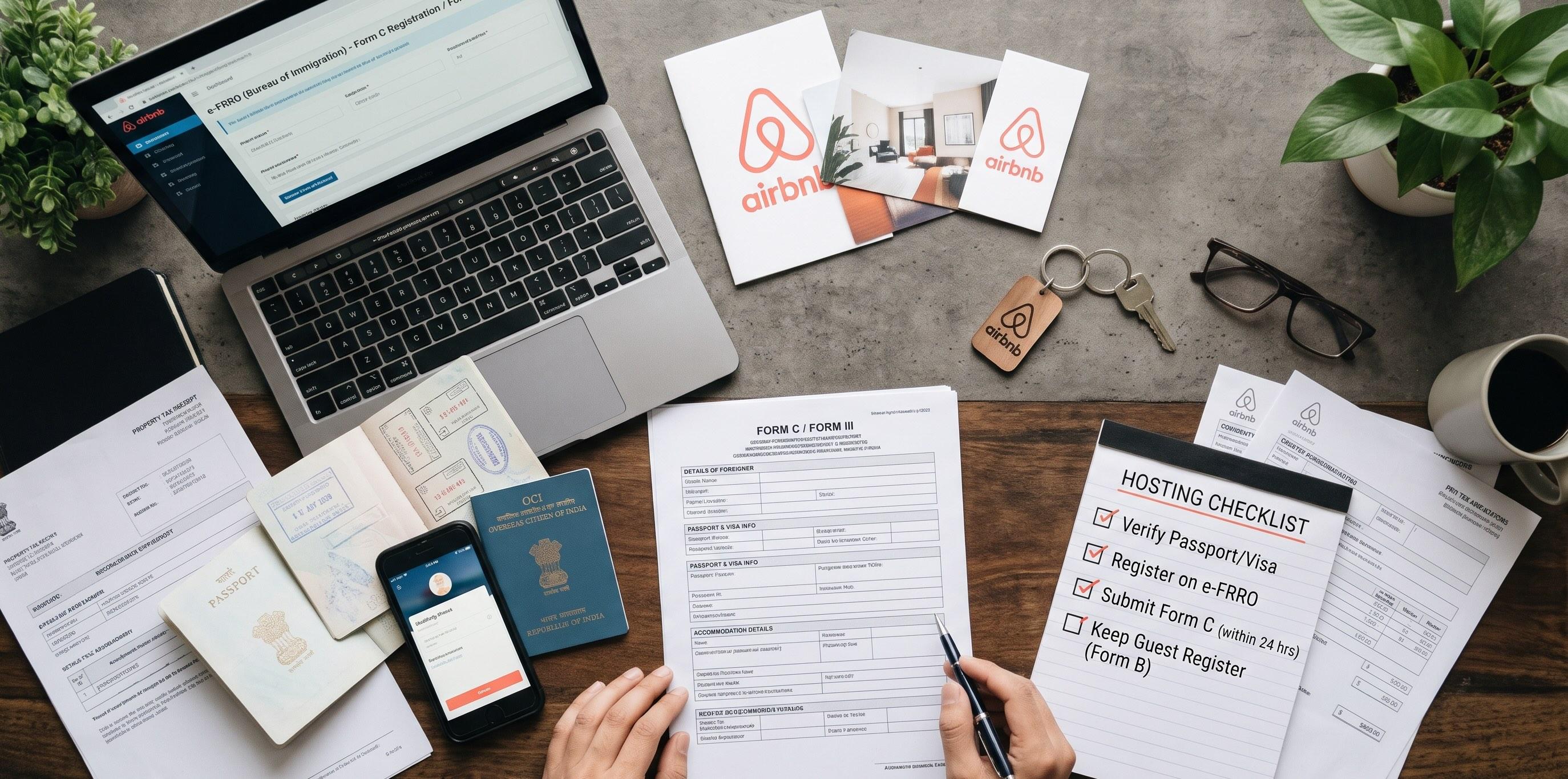
- Under the Foreigners Act (1946), Indian hosts must report every foreign passport holder within 24 hours of arrival via the official Form C portal.
- OCI (Overseas Citizen of India) cardholders hold foreign passports and also require Form C filing (upload their foreign passport plus their OCI booklet page).
- Never demand physical passports at midnight after a long international flight. Collect passport photos, e-Visas and flight details 48 hours pre-arrival via a digital form.
- Keep your Bureau of Immigration (BoI) / FRRO homestay account verified and active in advance so you can file each registration in under 4 minutes.
- Download and archive every generated Form C PDF receipt in a secure folder; keep records for a minimum of three years.
- Clear, welcoming pre-arrival communication prevents guest anxiety, eliminates friction and secures 5-star check-in reviews.
Introduction: Why Form C Compliance Matters for Indian Hosts
Hosting international travelers in India is one of the most rewarding parts of operating a boutique short-term rental. Across our 8 properties, international guests often stay longer, respect quiet hours, and leave thoughtful reviews. But hosting non-Indian passport holders carries a strict statutory obligation: filing Form C with the Bureau of Immigration (BoI) and Foreigners Regional Registration Office (FRRO).
Many new hosts in India dread Form C. They picture government bureaucracy, endless physical paperwork, or awkward moments interrogating exhausted guests in the hallway at 1:00 AM.
When my partner and I launched our first listing in Hyderabad in February 2026, we were nervous about foreign guest compliance. We had heard stories of hosts receiving surprise inquiries from local police stations because an international guest wasn't registered within the mandatory 24-hour window. We decided right then to turn compliance into an automated, friction-free system.
Today, across our properties, filing Form C takes less than 4 minutes per guest. Guests arrive feeling welcomed rather than policed, and our compliance record is 100% clean.
This guide walks you through the exact legal framework, the one-time portal setup, our pre-arrival collection workflow, copy-paste messaging scripts, and edge cases like OCI cardholders and minors.
If you are setting up your first property, make sure you also read our foundational How to Start an Airbnb guide and explore our India Hosting Hub.
The Legal Foundation: the 24-hour Statutory Rule
Under Section 7 of the Registration of Foreigners Act, 1939, read with Rule 14 of the Registration of Foreigners Rules, 1992, any person who accommodates a foreign national for payment or otherwise is legally obligated to:
- Obtain the guest's passport, visa and travel details upon arrival.
- Submit a completed Form C notification to the Registration Officer (FRRO or local Superintendent of Police) within 24 hours of arrival.
- Report the guest's departure upon checkout.
Who counts as a foreign national?
Any guest who does not hold an Indian passport is considered a foreign national for Form C purposes. This includes:
- Foreign tourists on e-Tourist visas or regular paper visas.
- Business travelers on e-Business visas.
- Foreign students, researchers, or employment visa holders.
- OCI (Overseas Citizen of India) cardholders: Even though OCI cardholders enjoy lifelong travel privileges to India, they hold foreign passports (e.g., American, British, Canadian, Australian). They are legally non-Indian nationals and must be registered on Form C.
- PIO (Person of Indian Origin) cardholders: Treated identically to OCIs.
Who is exempt?
- Indian citizens holding Indian passports (including Non-Resident Indians / NRIs holding valid Indian passports).
- Citizens of Nepal and Bhutan entering India without visas (under reciprocal treaties), unless specified otherwise by local state notifications.
Failing to submit Form C within 24 hours is a cognizable offence under Indian law. In practice, local police stations conduct periodic verification sweeps. If an unregistered foreigner is staying at your property, you face notices, fines, and potential suspension of your Airbnb operations. Do not leave this to chance.
Setting Up Your FRRO / BoI Homestay Account
Before you can file Form C for your first foreign guest, you must register your property on the official Bureau of Immigration portal: `indianfrro.gov.in/frro/FormC`.
You only need to complete this setup once per property.
Step-by-step portal registration
- Visit the portal: Navigate to `indianfrro.gov.in/frro/FormC` and click on Sign Up / Register User.
- Select your accommodation category: Select Hotel / Guest House / Bed & Breakfast / Homestay / Dharamshala. If your property is an apartment or villa, select Homestay or Guest House.
- Enter property owner details: Enter your full legal name, PAN number, registered mobile number and official email address.
- Enter property location details: Provide the exact address, including PIN code, state, district, and most importantly, the Jurisdictional Police Station. If you are unsure which police station covers your listing, check your latest electricity bill or visit the nearest station to confirm.
- Upload supporting verification documents:
- Proof of ownership or legal tenancy: Registered sale deed, property tax receipt, or registered leave-and-license rental agreement permitting commercial short-term subletting.
- Recent utility bill: Electricity bill or water bill matching the listing address.
- Host ID proof: Aadhaar card or PAN card of the primary operator.
- Submit for verification: Once submitted, your registration request is reviewed by the local FRRO or district police intelligence branch. Approval typically takes 48 to 72 hours. Once approved, you will receive your User ID and activation password via email.
Do not wait for your first international booking to register on the portal. Complete your account approval as soon as you take possession of the property.
Documents You Must Collect From Every Foreign Guest
To complete Form C on the portal, you need four specific pieces of information from each guest:
| Required Item | Acceptable Document | Notes |
|---|---|---|
| Passport Bio Page | Clear photo or scan of photo/details page | Must show full name, passport number, nationality, date of birth, expiry |
| Indian Visa / eVisa | Clear photo of visa sticker OR printed eVisa PDF | Must show visa number, issue date, validity, and entry permissions |
| Entry Details | Date of arrival in India, port of entry | E.g. Rajiv Gandhi International Airport Hyderabad (HYD), Mumbai (BOM), Delhi (DEL) |
| Next Destination & Address | City / country guest is heading to after your stay | Permanent home address in their country of origin |
Handling OCI cardholders
Many hosts get confused when Indian-origin guests say, *"I am Indian, I don't need Form C."*
Politely explain that Indian immigration rules categorize registrations by passport issued, not ancestry. For OCI cardholders:
- Passport number = their foreign passport (e.g. US, UK).
- Visa number = their OCI Booklet Number (found on the photo page of the blue OCI booklet, usually starting with an 'A' or 'B' followed by 7 digits).
- Visa type = select OCI from the portal dropdown.
The 4-minute Digital Pre-arrival Workflow
The biggest operational mistake hosts make is asking guests for physical passports at check-in.
Imagine arriving in Hyderabad at 11:30 PM after a 22-hour journey from San Francisco or London. You are jet-lagged, carrying luggage, and trying to get into bed. If a host or co-host stands at the door with a phone taking blurry photos of your passport pages, it feels invasive, disorganized, and stressful.
Instead, we run an entirely digitized, pre-arrival workflow:
| Stage | Timing | Action | Duration |
|---|---|---|---|
| 1. Welcome Dispatch | 48 hours pre-arrival | Automated message sent with secure document intake link | Automated |
| 2. Guest Upload | 24–48 hours pre-arrival | Guest snaps passport photo & attaches eVisa (from phone) | ~60 seconds |
| 3. Portal Pre-fill | Day before arrival | Host enters details on `indianfrro.gov.in` as draft | ~2 minutes |
| 4. Self Check-in | Check-in day | Guest arrives and unlocks via smart lock; zero door paperwork | 0 minutes |
| 5. Final Submission | Within 24 hours | Host clicks submit, downloads PDF receipt, and archives record | ~30 seconds |
Tools for the intake link
You do not need custom software. You can use any secure form builder:
- Google Forms: Free, simple, allows direct file uploads to a dedicated Google Drive folder.
- JotForm / Typeform: Clean mobile UX, encrypted storage, and integrates easily into your PMS (Guesty, Hostaway, or Airbnb messaging).
- Direct WhatsApp Business: If the guest prefers WhatsApp, share a checklist and have them snap clean photos 24 hours before boarding their flight.
The 4-Minute Digital Pre-Arrival Flow
48 Hours Pre-Arrival: Automated welcome dispatch with secure document intake link.
Guest Upload (60 Seconds): Guest uploads passport photo & eVisa PDF from home or airport.
Host Pre-Fill (2 Minutes): Host pre-fills Form C draft on `indianfrro.gov.in`.
Check-In Day: Guest arrives, self-checks in with smart lock code. Host clicks 'Submit' on portal -> PDF acknowledgment generated.
Guest Communication Scripts That Eliminate Friction
Foreign travelers are often protective of their identity documents—and rightly so. If you simply message *"Send your passport photos"*, guests may feel uneasy about privacy or identity theft.
When you frame the request around official Indian immigration regulations and your commitment to an effortless self-check-in, guests cooperate immediately.
1. The 48-Hour Pre-Arrival Message (Airbnb Messenger & Email)
Trigger: Sent automatically 48 hours prior to guest arrival2. De-escalating Hesitant Guests or Privacy Concerns
Trigger: Sent when a guest hesitates or inquires about document privacyFiling Form C Step-by-step on Indianfrro.gov.in
Once the guest submits their photos through your pre-arrival form, open the portal and submit the registration.
- Enter guest's Given Name, Surname, Sex, and Date of Birth.
- Select Country of Nationality from the dropdown.
- Enter permanent address in their home country.
- Passport number, place of issue, date of issue, and expiry date.
- Visa / eVisa number.
- Visa type (Tourist, Business, OCI, Employment).
- Date of issue and validity.
- Place of issue (for e-Visas, enter the mission or 'Online / New Delhi').
- Date and time of arrival at your property.
- Port of entry into India (e.g. Hyderabad Airport (HYD) or Mumbai Airport (BOM)).
- Expected date of departure from your property.
- Next destination (City or Country).
- Upload a square headshot photo of the guest (crop from their passport photo if needed, max 50 KB).
- Upload passport bio page scan (PDF or JPEG, max 100 KB).
- Upload visa scan (PDF or JPEG, max 100 KB).
- Click Save & Submit.
- The portal will generate a unique Form C Application ID.
- Click Print / Save Form C and download the PDF acknowledgment.
- Log into the portal: Enter your User ID, password, and captcha at `indianfrro.gov.in/frro/FormC`.
- Click 'New Form C': Select your property from your registered premises list.
- Section A — Personal Details:
- Section B — Passport Details:
- Section C — Visa Details:
- Section D — Arrival & Departure Details:
- Upload Guest Photo & Document Scans:
- Submit & Download Form C:
The whole process takes under 4 minutes.
Compliance Record-keeping & Audit Readiness
Submitting Form C is only half the process; maintaining records is the other half.
- Create a dedicated compliance archive: Set up a secure cloud folder (e.g. Google Drive, Dropbox) structured by year and property:
- Retention period: Indian law requires accommodations to preserve guest registers and Form C acknowledgments for a minimum of three years.
- Checkout departure filing: When the guest checks out, log back into the portal, navigate to Form C List, click on the guest record, and enter their departure date. This closes the active stay record and keeps your active guest count synchronized with local police records.
`Compliance / Form-C / 2026 / Property-01 / [GuestName]_[Date].pdf`
Common Mistakes and Edge Cases
1. Families with minor children
Children traveling on foreign passports—regardless of age—must each have a separate Form C filed. Even infants need their own entry using their individual passport and visa details.
2. Guests on Visa-on-Arrival
Certain nationalities (e.g., Japan, South Korea, UAE under specific conditions) can obtain a Visa on Arrival. Ask for a photo of the stamp in their passport once they clear immigration at the airport.
3. Dual nationals
If a guest holds two passports (e.g. British and Canadian), file Form C under whichever passport has the active Indian visa sticker or eVisa entry stamp.
4. Same-day walk-ins or last-minute extensions
If an international guest extends their reservation on Airbnb, update the departure date on the FRRO portal so the active stay duration reflects their updated calendar.
A Step-by-step Form C Host Checklist
Frequently Asked Questions
Do I need a commercial GST number to host foreign guests in India?expand_more
No. Hosting foreign guests and filing Form C does not require a GST number unless your overall annual business turnover exceeds ₹20 Lakhs (₹10 Lakhs in special category states). However, you must have a valid PAN card registered on the FRRO portal.
Can an OCI cardholder refuse to provide Form C details?expand_more
Legally, no. OCI cardholders hold foreign passports and are subject to the Registration of Foreigners Rules. Explain politely that the Bureau of Immigration requires filing based on passport nationality, and assure them their data is protected.
What happens if the FRRO portal is down or under maintenance?expand_more
Government portals occasionally undergo maintenance. If the portal is temporarily unreachable, take screenshots with timestamps proving your attempt to submit within the 24-hour window. File the form immediately once the portal resumes service, and notify your local police station by email if the downtime exceeds 24 hours.
Do I need a physical guest register book if I file digitally?expand_more
While the digital Form C is the primary statutory requirement, local police beats in certain jurisdictions still appreciate inspecting a physical hardbound guest register. We keep a simple bound guest register on site with guest names, passport numbers, check-in/out dates, and signature.
Does Airbnb submit Form C automatically on my behalf?expand_more
No. Airbnb does not share guest passport or visa details with the Bureau of Immigration. The legal responsibility for Form C filing rests solely with the property host or property manager.
Next Steps
- 1Register your property on the Bureau of Immigration portal at `indianfrro.gov.in`
- 2Set up your 48-hour pre-arrival guest intake form on Google Forms or JotForm
- 3Add our copy-paste pre-check-in messaging script to your automated guest dispatch
- 4Explore our complete roadmap in How to Start an Airbnb
- 5Review styling and durability tips in How to Decorate an Airbnb
- 6Streamline turnover operations with our Airbnb Turnover Cleaning System
- 7Model your unit economics and margins with our Airbnb Profit & ROI Calculator
- 8Visit the India Hosting Hub for regional infrastructure and electrical SOPs
- 9Build electrical resilience with our guide on Airbnb Wi-Fi & Power Backup in India
Get The Complete 48-Point Furnishing & Sourcing Spec Sheet
Turnover checklists, maintenance schedules, and essential furnishing specs used across our 8 properties.
Written by Sagar Kashyap
Hi, I’m Sagar. My partner and I started hosting in February 2026, and today we run 8 listings with a 4.96 average rating across 82 reviews. I’m also a software engineer, so I like turning hosting problems into simple systems, checklists and free tools. I write down what actually worked for us, including the mistakes.
Related Field Guides
 India Hosting
Airbnb Wi-Fi in India: How to Keep Guests Connected Through Slow Internet and Power Cuts
Choosing the connection, covering every room, planning for outages and checking it works, so remote-work guests stay online.
 Beginner / Launch
How to Start an Airbnb: A Complete Guide From a Host With 8 Listings
From legal setup and pricing tools to durable furnishing specs and automated guest messaging. Everything I learned scaling from 1 to 8 properties with a 4.96 rating.
 Decor & Staging
How to Decorate an Airbnb: A Practical Guide From a Host With 8 Listings
Pick a theme, paint with intention, light the room warmly, add art, then photograph it properly. The 5-step approach we use across our listings.
Get actionable, field-tested hosting tips.
Real turnover spreadsheets, supplier checklists, and pricing strategy case studies. Zero fluff, 100% operational hospitality data.
Disclaimer: this guide shares our personal operational experience hosting across boutique properties in India. It is provided for informational and educational purposes only and does not constitute formal legal, regulatory, or tax advice. Always consult a qualified Indian advocate, chartered accountant, or your jurisdictional FRRO office for advice tailored to your specific location and setup.